Limit orders, take profit, stop loss.
Buy at your price, take profit at your target, or cut a loss, without watching the chart. Your money stays in your wallet until the order fills.
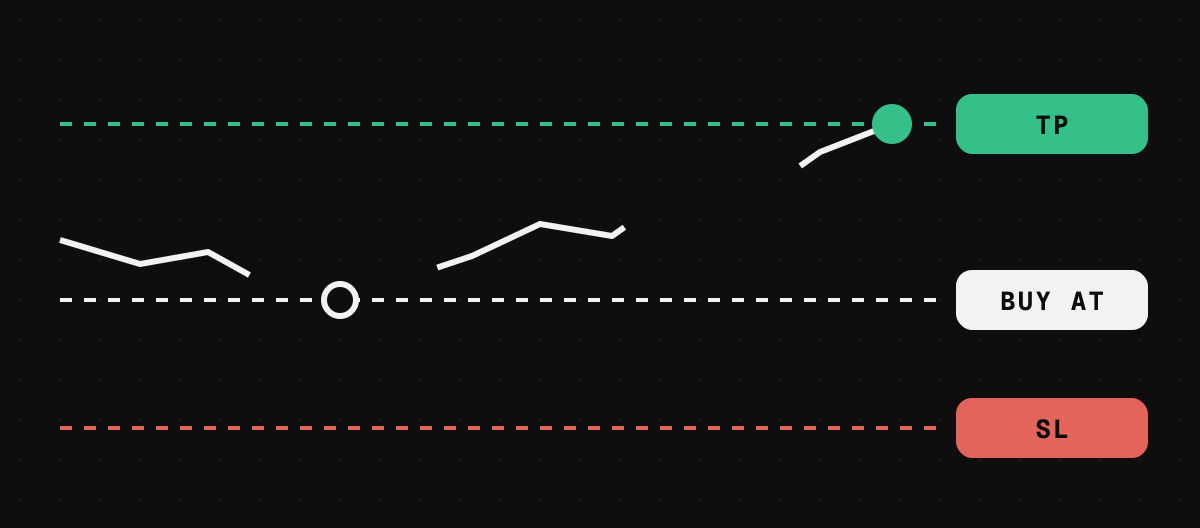
The orders
- Buy on a dip
- buys when the price falls to your level
- Buy on a breakout
- buys when it rises to your level, never above “Pay at most”
- Take profit
- sells when it reaches your target
- Stop loss
- sells if it falls to your level, never below “Never sell below”
- Take profit and stop together
- whichever happens first; the other is cancelled
Step by step
- 1
Open the Orders tab
On a coin’s page, open Orders, or go to Tools. Choose Limit buy or TP / SL.
- 2
Set your price and amount
Type the price, or pick it on the chart. The smallest order is $10, because our keeper pays the gas to fill it.
- 3
Sign
Signing is free. The first time for a coin, your wallet asks once to let orders use it; an ETH buy first wraps your ETH. Those two cost a small network fee, once.
How a stop loss behaves in a crash
PlainlyA stop sells only between your stop price and your floor (“Never sell below”, 10 percent under the stop unless you change it). If the price drops straight through the floor, the stop does not sell; it waits, and fills only if the price comes back into that band before it expires. That floor is what stops you selling far too low in a flash crash.
A stop also waits for the price to hold for two blocks before it sells, so a one block wick does not trigger it.
Common questions
Do orders cost gas?
No. Signing is free and our keeper pays the gas to fill. Only the one time approval or wrap costs a network fee.
What does cancelling do?
“Cancel” is free and instant: we stop filling it. “Cancel for good” also ends the signature on chain, for a little gas.
Are there trailing stops?
No, not yet.
Does it fill part of an order?
No. It fills the whole amount only when the pool can pay your price for all of it.
Which coins?
Coins with a pool against ETH or USDG. An order on a coin still on its curve waits until the coin moves to a pool.